


When it comes to BMW’s infotainment systems, there are two main options: the CCC and the CIC. Both systems offer a range of features that make driving a BMW more enjoyable, but they are not interchangeable.
It’s important to know which system your BMW has so that you can take full advantage of its capabilities.
Understanding the differences between the CCC and CIC systems can be a bit confusing, especially for those who are new to BMW ownership.
Featured products
-
Android screen For BMW 3 4 Series CCC CIC NBT EVO
Price range: $499.00 through $559.00 -

BMW X5 F85 Series Rear Trunk Electric Tailgate Power Lift
Price range: $349.00 through $399.00 -
Decoder For BMW NBT/EVO System 1 2 3 4 5 6 7 Series X1 X3 X4 X5 X6 i8 MINI
Price range: $209.99 through $249.99 -
Multimedia Android IOS Box For (BMW 2018-2025 with Factory Carplay) 8+128G Exclusive BMW Android auto !
Original price was: $269.99.$229.99Current price is: $229.99.


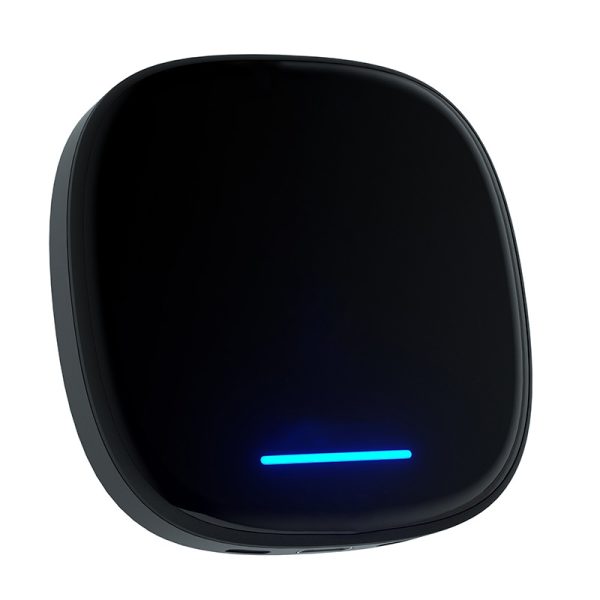
The CCC (Car Communication Computer) system was first introduced in 2004 and was used until 2008. It features a smaller screen and fewer features than the CIC (Car Infotainment Computer) system, which was introduced in 2008 and is still in use today.
The CIC system boasts a larger screen and more advanced features, such as real-time traffic updates and a more intuitive user interface.
Identifying which system your BMW has can be done by checking the model year and the screen size. However, there are some cases where a BMW may have been retrofitted with a different system, so it’s important to double-check before making any assumptions.
By knowing which system your BMW has, you can ensure that you are using it to its full potential and avoid any compatibility issues.
Key Takeaways
- BMW has two main infotainment systems: the CCC and the CIC.
- The CCC system was used from 2004-2008, while the CIC system was introduced in 2008 and is still in use today.
- Identifying your BMW’s system is important for maximizing its capabilities and avoiding compatibility issues.
Understanding BMW CCC and CIC
Define BMW CCC and CIC
BMW CCC (Car Communication Computer) and CIC (Car Information Computer) are two types of infotainment systems used in BMW vehicles. CCC was first introduced in 2003, while CIC was introduced in 2008. Both systems are responsible for controlling the car’s audio, climate control, navigation, and other features.
Differences Between CCC and CIC
One of the main differences between CCC and CIC is the user interface. CCC has a more basic interface with fewer features, while CIC has a more advanced interface with more features. CIC also has a larger screen and better graphics than CCC.
Another difference is the hardware used in the systems. CCC uses a DVD-based navigation system, while CIC uses a hard drive-based navigation system. This means that CIC can store more maps and information than CCC.
Evolution and Compatibility
Since their introduction, both CCC and CIC have gone through several updates and revisions.
In 2010, BMW introduced a new system called NBT (Next Big Thing), which replaced CIC. NBT has even more advanced features and a larger screen than CIC.
It’s important to note that not all BMW vehicles are compatible with both CCC and CIC. Depending on the year and model of the car, it may only be compatible with one of the systems.
It’s also possible to retrofit a car with a newer system, but this can be expensive and may not be worth the investment.
Identifying Your BMW System
Step-By-Step Identification
Identifying whether your BMW has a CCC or CIC system can be done in a few simple steps.
First, turn on your vehicle and check the iDrive screen. If the screen is small and square, your vehicle likely has a CCC system. If the screen is larger and rectangular, your vehicle likely has a CIC system.
Next, check the iDrive controller. If the controller has a circular knob and six buttons around it, your vehicle likely has a CCC system. If the controller has a rectangular touchpad and eight buttons, your vehicle likely has a CIC system.
Physical Differences
There are also physical differences between CCC and CIC systems that can help you identify which system your BMW has.
CCC systems have a smaller screen and a circular iDrive controller, while CIC systems have a larger screen and a rectangular touchpad controller.
Additionally, CCC systems have a CD/DVD slot on the dashboard, while CIC systems have a DVD slot in the glove compartment. CCC systems also have a separate navigation DVD drive, while CIC systems have the navigation system built into the unit.
Accessing iDrive Menu
To access the iDrive menu on a CCC system, press the Menu button on the iDrive controller. To access the iDrive menu on a CIC system, press the Menu button on the screen or the iDrive controller.
Common Challenges and Solutions
Addressing Challenges
One of the common challenges faced by BMW owners is determining whether their car has a CCC or CIC system. This can be a daunting task for those who are not familiar with the technicalities of these systems.
However, there are a few ways to address this challenge.
Firstly, owners can check the production date of their BMW. If the car was manufactured before September 2008, it is likely to have a CCC system. On the other hand, if the car was manufactured after this date, it is likely to have a CIC system.
Additionally, owners can check the iDrive menu to see if it has a split-screen feature. If it does, then it is likely to have a CIC system.
Potential Issues
While owning a BMW with a CCC or CIC system can be a great experience, there are a few potential issues that owners may face.
One of the most common issues is the failure of the iDrive system. This can be caused by a variety of factors, including software bugs, hardware failures, and electrical issues.
Another potential issue is the failure of the navigation system. This can be caused by outdated maps, software bugs, or hardware failures.
In some cases, the navigation system may be unable to locate the car’s position accurately, which can be frustrating for the driver.
Providing Solutions
Fortunately, there are several solutions available to address these potential issues.
For iDrive failures, owners can try resetting the system by disconnecting the car battery for a few minutes. If this does not work, they may need to take the car to a BMW dealer or a certified repair shop.
For navigation system failures, owners can try updating the maps and software. BMW offers regular updates for its navigation systems, which can be downloaded from the company’s website.
If this does not work, owners may need to replace the navigation system or take the car to a repair shop.
Conclusion
In conclusion, adding CarPlay and Android Auto functionality to a BMW without compromising the integrity of the vehicle’s design is possible through the BMW exclusive car decoding module or a higher performance BMW exclusive joint screen or Android screen.
The car decoding module provides a straightforward solution that requires no modifications to the original car screen and avoids any dismantling of the vehicle.
On the other hand, the higher performance joint screen or Android screen offers a larger display and additional features, but it necessitates the removal of the center control dashboard.
Whichever option one chooses, these solutions are designed to help better choose the right product, ensuring that the BMW meets all connectivity needs.
With these options available, BMW owners can enjoy the latest technology while maintaining the original look and feel of their vehicle.
Frequently Asked Questions
How can I identify if my BMW is equipped with a CCC iDrive system?
To identify if your BMW is equipped with a CCC iDrive system, you can check the dashboard display. The CCC iDrive system has a smaller display screen compared to the CIC iDrive system. The CCC iDrive system also has a CD/DVD slot located in the dashboard.
What are the distinguishing features between BMW’s CCC and CIC systems?
The main distinguishing features between BMW’s CCC and CIC systems are the display size, user interface, and processing power.
The CCC iDrive system has a smaller display screen compared to the CIC iDrive system, and it has a less intuitive user interface.
The CIC iDrive system has a larger display screen and a more modern user interface. The CIC iDrive system is also faster and more responsive compared to the CCC iDrive system.
Can I determine the iDrive version of my BMW by its VIN number?
No, you cannot determine the iDrive version of your BMW by its VIN number. However, you can contact a BMW dealership or a certified mechanic to determine the iDrive version of your BMW.
What are the main differences between BMW’s CIC and NBT systems?
The main differences between BMW’s CIC and NBT systems are the display size, user interface, and processing power.
The NBT iDrive system has a larger display screen compared to the CIC iDrive system, and it has a more modern user interface.
The NBT iDrive system is also faster and more responsive compared to the CIC iDrive system.
How can I upgrade my BMW from CCC to CIC?
To upgrade your BMW from CCC to CIC, you will need to replace the CCC iDrive system with a CIC iDrive system.
This can be a complex process that involves rewiring and reprogramming of the car’s systems. It is recommended that you contact a BMW dealership or a certified mechanic to perform this upgrade.
Is it possible to retrofit Carplay into a BMW CIC system?
Yes, it is possible to retrofit Carplay into a BMW CIC system. However, this requires the installation of a Carplay retrofit kit, which can be a complex process.
It is recommended that you contact a BMW dealership or a certified mechanic to perform this retrofit.