

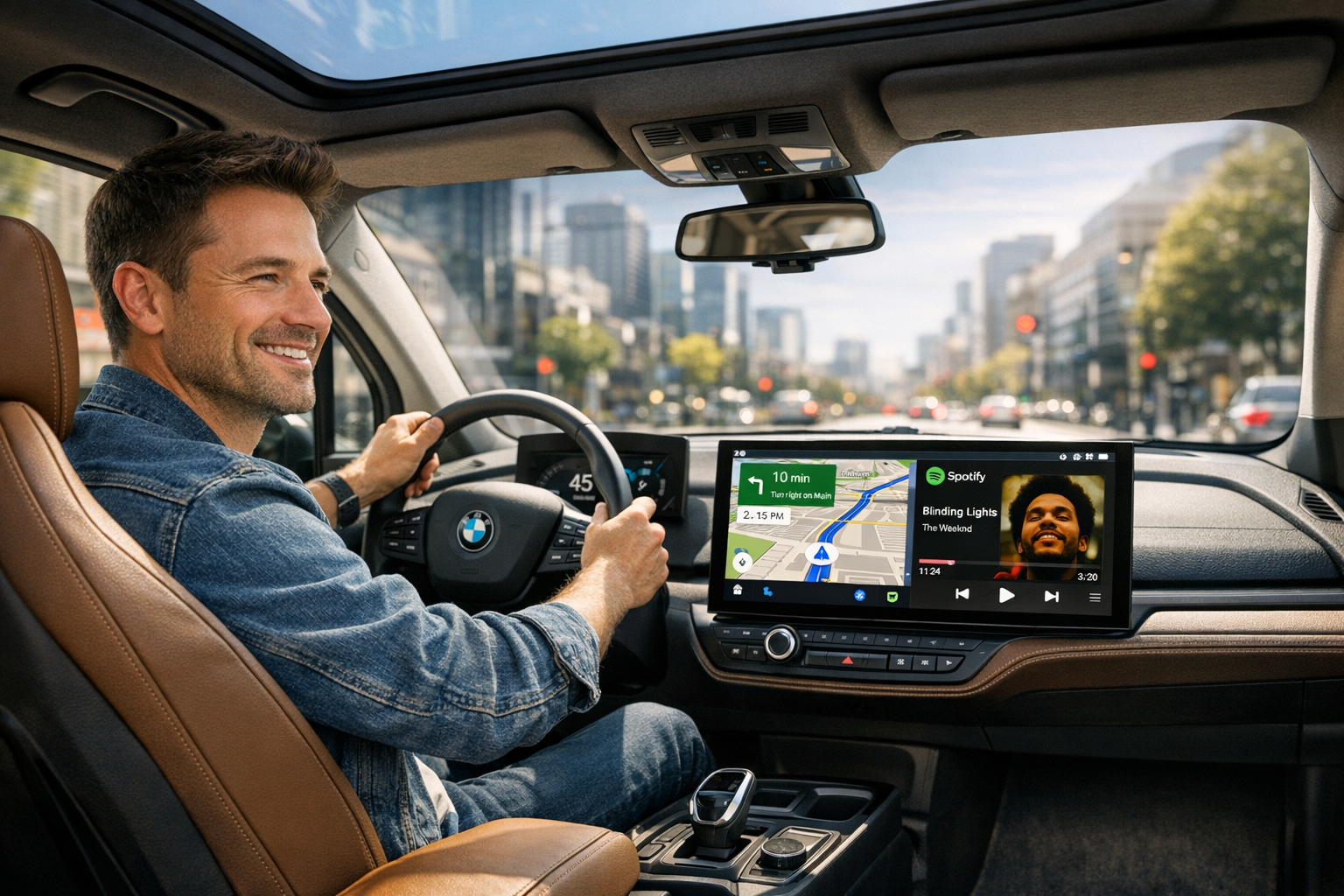
I've owned my BMW i3 for three years now. And I'll say it plainly: it remains one of the most genuinely fun urban cars I've ever driven. The instant torque delivery, the tight turning radius through city traffic, the recycled interior materials that somehow still feel premium — the i3 is a car that was ahead of its time in almost every way.
Almost.
Because every morning, I'd plug in my Android phone, fumble with a cable that never quite sat right in the centre console, and watch Google Maps stay stubbornly on a 6-inch phone screen while the iDrive display — perfectly capable, right there on the dashboard — sat idle. The i3 shipped as an Apple-first car. BMW's ConnectedDrive was built around iPhone users, and Android owners were left with Bluetooth audio and a cable that frayed at the tip by month four.
If you're reading this, you already know the feeling. This guide covers every working method to get BMW i3 Android Auto running in 2026 — including a few things I wish I'd known before spending money on the wrong solution first.
I. Why the BMW i3 doesn't have Android Auto from the factory
BMW introduced Android Auto support across its lineup in July 2020 — but only for models running iDrive 7.0. The i3 (I01 generation, 2013–2021) topped out at NBT or NBT EVO systems, neither of which received official OTA Android Auto activation from BMW.
The result: if your i3 was built before the Android Auto era, BMW simply never came back for it. There's no firmware update waiting. No dealer option. The factory path is closed. What does exist are aftermarket solutions — and in 2026, several of them work very well.
II. Your four real options — an honest breakdown
| Solution | Best for | Cost | Install time |
|---|---|---|---|
| Phone mount + Bluetooth | Minimal users | Free | — |
| NBT decoder module | 2013–2017 i3 (NBT system) | $200–$350 | 2–3 hrs |
| MMB Android AI Box | 2018+ i3 with wireless CarPlay | $200–$270 | 15 min |
| Android screen replacement | Anyone wanting a larger display | $400–$600 | 3–5 hrs |
One important technical note on audio: The i3's audio system runs on a MOST (Media Oriented Systems Transport) fibre optic bus — a digital audio architecture more commonly found in high-end audio equipment. Some premium retrofit modules support MOST bus audio transmission directly, eliminating the analogue conversion step that cheaper modules use. If audio quality matters to you, confirm whether your chosen module supports digital MOST output — the difference in sound clarity is noticeable through the i3's speaker system.
III. Before you buy anything — 3 things to confirm first
Identify your iDrive system version
BMW i3 models shipped with three different systems: EntryNav (small screen, very limited options), NBT (large screen, vertical menu UI, most 2013–2017 i3), or NBT EVO (horizontal tile UI, 2018–2021). Go to iDrive → Settings → Software info. "Road Map CHINA Next" = NBT. "Road Map CHINA EVO" = EVO. The system version determines which LVDS connector your car uses — buying the wrong module means it won't physically connect.
Confirm your CarPlay status — wired, wireless, or none
Go to iDrive → Settings → Connections → Apple CarPlay. If it shows "Wireless" — you can go straight to the AI Box (Option 03). Wired-only CarPlay means you need a decoder module first. No CarPlay at all means decoder module or screen replacement. This single check determines your entire upgrade path.
Check the AUX audio path — and avoid these common mistakes
Decoder modules route audio through the AUX channel, which may not be active by default on your i3. Modules that support MOST digital audio bypass this issue entirely — audio stays digital from source to speaker. Also: always use the data USB port (not the charge-only port), never buy generic Android Auto dongles (BMW's proprietary channel blocks them), and don't place the decoder module directly above the head unit — the i3's centre console runs hot there. Use the glovebox space instead.
IV. Recommended route for 2018+ i3 owners
If your i3 is a 2018 or newer model with factory wireless CarPlay already active, the simplest path is an Android AI Box. No wiring, no mechanic visit, no loss of any factory feature.
Carlinkit MMB Box — plug-and-play for 2018+ i3 with wireless CarPlay
Runs full Android 13 on your factory iDrive screen via BMW's own wireless CarPlay channel. A floating toggle switches back to native iDrive instantly. Steering wheel controls and the iDrive knob work normally in Android Auto. Powers down automatically when you park.
It won't work if your CarPlay is wired-only or if you have a pre-2018 NBT system without wireless CarPlay. In those cases, start with a decoder module first — or send your VIN to the seller for a definitive compatibility check before ordering.
V. Frequently asked questions
Will adding Android Auto void my BMW i3 warranty?
No — plug-and-play modules connect via the factory USB or LVDS port without permanently modifying the vehicle. Unplug them and the car returns to factory condition. Full screen replacements are a hardware modification and may affect infotainment warranty coverage specifically.
Do I need coding to add Android Auto to my i3?
AI Boxes for 2018+ models with wireless CarPlay require zero coding — they activate through the CarPlay channel automatically. Decoder modules typically don't require coding for video output. However, if your i3's AUX audio path isn't active by default, a brief coding session may be needed for sound — this is separate from the module installation itself.
My i3 has wired CarPlay only. Can I still get Android Auto?
Yes, but it's a two-step process. First activate wireless CarPlay via a BMW coding session (available remotely from specialists) or a decoder module that handles both steps. Once wireless CarPlay is active, an AI Box runs on top of it.
Will there be audio issues after installation?
Potentially with decoder modules that use analogue AUX routing. Modules that support MOST digital audio transmission eliminate this — the signal stays digital end-to-end. Confirm with your seller which audio path the module uses before purchasing. This is the most common post-installation complaint on i3 decoder module setups.
Is there wireless connection lag with Android Auto?
Navigation and music are effectively real-time over 5GHz Wi-Fi. Track-skipping may show around 0.5 seconds of delay — consistent with all wireless Android Auto implementations industry-wide. A wired connection via the data USB port eliminates it entirely.
Which iDrive versions are supported?
NBT (ID4): supported by decoder modules — covers most 2013–2017 i3 models. NBT EVO (ID5/ID6): supported by AI Boxes if factory wireless CarPlay is active — covers most 2018–2021 i3 models. EntryNav / CIC: limited options, verify with your VIN before purchasing.
Three years in, the i3 still surprises me. It's one of those cars that genuinely improves with familiarity — the more you understand it, the more you appreciate the engineering decisions behind it.
The only thing I'd do differently is sort the Android Auto situation on day one rather than spending months with a phone balanced on a vent mount. Whether you go the decoder module route or plug in an AI Box in 15 minutes, the upgrade is worth it. Google Maps on the iDrive screen, Google Assistant through the speakers, Spotify without a cable — these aren't luxury additions. At this point, they're the baseline the car deserved from the factory.
Check your iDrive system version, confirm your CarPlay status, and send your VIN before you order anything. That 10-minute check will save you a return shipment.