

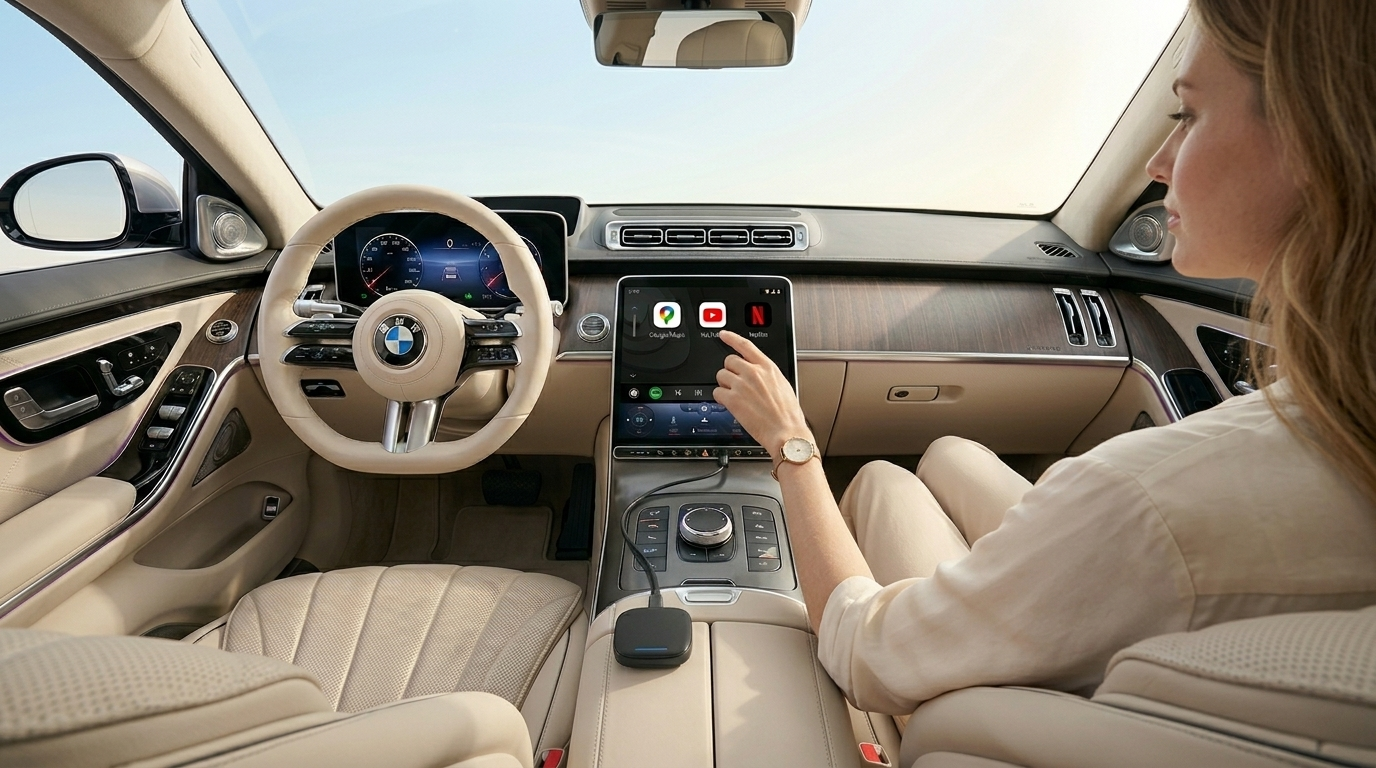
BMW TBox 2026: Unlock Android Auto, YouTube & Netflix on Your 330i
If you own a 2020 BMW 330i, you know the car drives brilliantly — but getting Android Auto to work can be a completely different story. The BMW TBox 2026 solves this in one plug-in step. Here's everything you need to know.
The 2020 BMW 330i Android Auto Problem
The G20 3 Series built for the 2020 model year sits on an awkward digital fence. Vehicles manufactured before July 2020 were delivered with factory Apple CarPlay but no Android Auto support whatsoever. This wasn't a rumour — it was a factory specification decision that BMW later reversed, meaning owners of early-production cars were simply left behind.
Even owners who do have native wireless Android Auto installed often deal with two persistent headaches: significant smartphone battery drain while connected, and occasional display lag that makes navigation feel sluggish.
I picked up my 330i in February 2020 and immediately noticed Android Auto was missing from the ConnectedDrive menu entirely. The dealer quoted me $480 to recode the head unit — and even then, they couldn't guarantee it would work with my phone. A colleague at work mentioned the TBox. I ordered one, plugged it in during my lunch break, and had Google Maps running on the Live Cockpit screen by the time I drove home that afternoon.
What Is the BMW TBox 2026?
The BMW TBox 2026 is not a screen mirroring dongle or a Bluetooth workaround. It is a standalone Android computing device — roughly the size of a USB thumb drive — that plugs directly into your car's USB port and runs apps natively on its own hardware.
How it works
The TBox uses your existing Apple CarPlay channel as its display output. Rather than simply mirroring your phone, it launches a dedicated Android environment through that CarPlay pathway. Your phone is no longer in the middle — the TBox handles everything directly.
| Specification | Detail |
|---|---|
| Processor | 8-core Qualcomm chipset |
| Connection | Plug-and-play USB — no tools, no dashboard removal |
| Display output | Via CarPlay channel to BMW Live Cockpit Pro |
| App install | Google Play Store, native Android |
| Connectivity | Wi-Fi hotspot (phone) or dedicated 4G SIM slot |
| Warranty impact | ✓ None — no permanent modifications |
Features Unlocked on Your 330i
Wireless Android Auto
Instant, lag-free connection. No cable, no phone overheating on the wireless charging pad.
YouTube & Netflix
Full streaming on your Live Cockpit screen when parked. Harman Kardon audio included.
Google Maps & Waze
Built-in GPS module for standalone navigation — no phone signal required.
Google Play Store
Download maps, music, diagnostic and productivity apps directly onto the device.
Step-by-Step Setup Guide
Use the Type-A USB port near the centre console cup holders. On some 2020 330i builds, the armrest Type-C port is charge-only and may not carry data — the Type-A port is the safer starting point.
Navigate to the CarPlay option in the iDrive menu exactly as you normally would. The TBox uses this channel to launch its own Android interface on screen.
Either enable a mobile hotspot on your phone and connect the TBox to it via Wi-Fi, or insert a standard 4G SIM card directly into the TBox for a fully independent data connection.
The Android home screen will appear on your Live Cockpit display. From here you can open Android Auto, Google Maps, Spotify, or any app from the Play Store — all controlled by your iDrive knob and steering wheel buttons.
Real-World Performance
We put the TBox 2026 through extended testing across both urban and regional conditions to make sure our recommendations are grounded in actual results, not spec sheet promises.
During a busy weekday drive through Sydney CBD — surrounded by high-rise buildings and dense mobile traffic — the built-in GPS module maintained pinpoint accuracy on Google Maps without any dropouts. Rerouting was smooth and prompt.
Audio performance through the Harman Kardon sound system (factory option code S688A) was excellent. Streaming audio via Spotify came through clean and uncompressed, and the TBox played well with the original volume, skip, and call controls on the steering wheel from the first connection.
iDrive knob control worked throughout — scrolling through maps, accepting calls, and adjusting app settings all responded naturally without needing to touch the screen.
The GPS really surprised me. I expected to rely on my phone's signal coming through, but the standalone module kept up perfectly even in the tunnel sections on the M1. And having Spotify actually controlled by the steering wheel buttons rather than hunting for my phone makes the drive feel so much more polished.